Accessibility at MyGlyde
MyGlyde exists because standard tools don’t fit every brain — so accessibility here is the product, not a checkbox. This page says plainly what we do, what we’re still working on, and how to tell us when we get it wrong.
Our target
We build and test against WCAG 2.1 level AA. That is a standard we hold ourselves to and check in automated tests on every change — not a certification, and we’d rather say so honestly than claim a badge.
Keyboard
Everything works without a mouse: a skip-to-content link, visible focus rings, focus trapped correctly inside dialogs, native disclosure elements for expanding content, and a command palette (⌘K / Ctrl-K) that reaches the whole app.
Motion
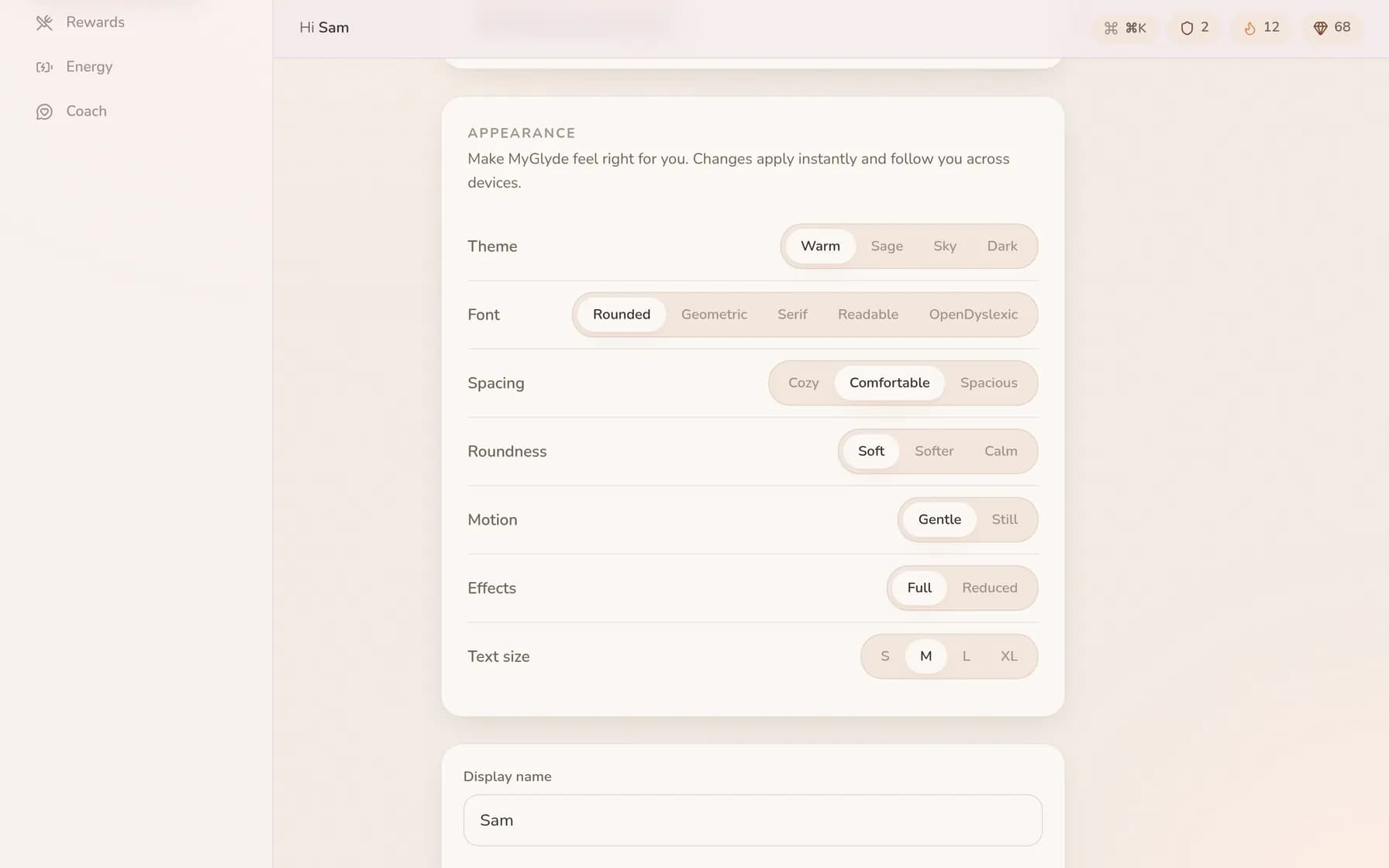
We honour your device’s reduced-motion setting everywhere. There’s also an in-app motion control with “gentle” and “still” modes, and a separate switch for ambient visual effects — animation should be a choice, never a cost.
Reading & fonts
OpenDyslexic is built in — two weights, each with true italics — alongside Atkinson Hyperlegible, with controls for text density, roundness and five colour themes (including high-contrast-leaning options). Font choices apply instantly, everywhere.
Screen readers
Pages use labelled landmarks, headings in order, live regions for async results, and real buttons and links rather than clickable divs. Automated accessibility checks (axe) run in our test suite on every change. We test with VoiceOver and NVDA less often than we’d like — if something reads badly, we genuinely want the report.
Known limitations
Some data visualisations (trend charts) summarise rather than expose every point to assistive tech, and live focus rooms rely on presence cues we’re still improving. Both are on the list.
Tell us
If anything in MyGlyde is hard for you to use, that’s a bug — not a you-problem. Email hello@myglyde.com or use the contact form. Reports like this get fixed first.